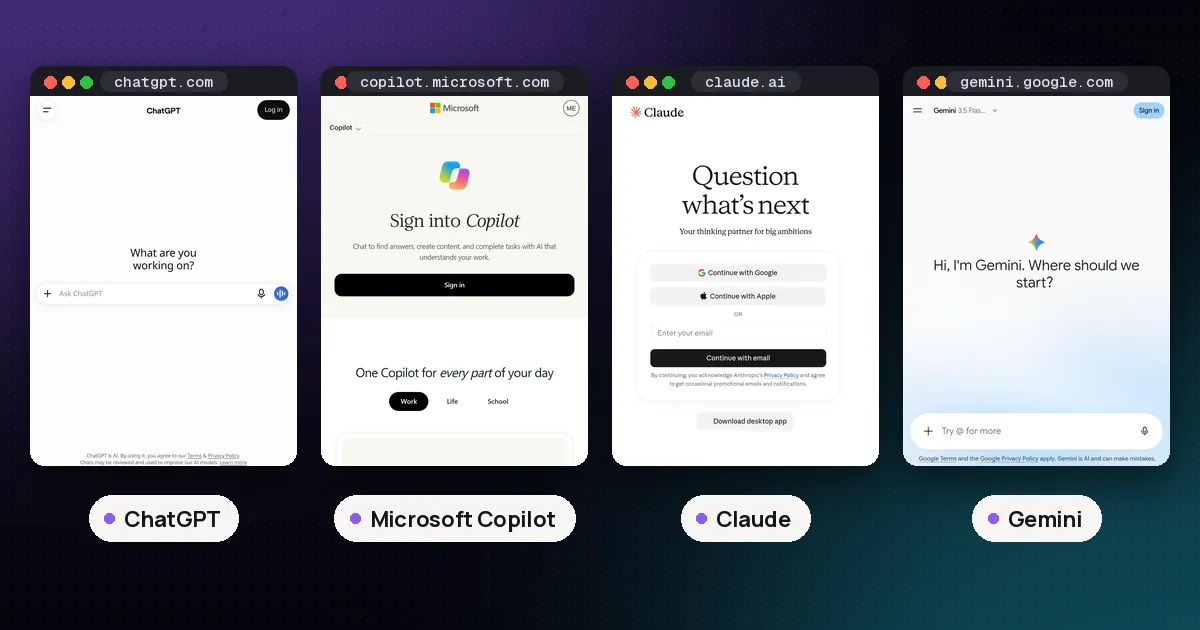
In the ChatGPT vs MS Copilot choice, pick ChatGPT if you want the most capable standalone assistant from OpenAI, with its own agent (Work), deep research and add-ins that now reach into Word, Excel and PowerPoint. Pick Microsoft Copilot if your day already runs on Microsoft 365, because Copilot comes bundled with Microsoft 365 Personal, Family and Premium at home and with Copilot Chat on eligible work plans, and the paid work license grounds answers in your own mail, files and meetings. Both have free versions, so try each on a real task before paying.
Prices below are US list prices from OpenAI's and Microsoft's own pages, checked on November 4, 2026. Taxes, regional prices and promotions vary.
ChatGPT vs MS Copilot at a glance
| Item | ChatGPT | Microsoft Copilot |
|---|---|---|
| Maker | OpenAI | Microsoft (uses OpenAI GPT models, plus model choice on some plans) |
| Free version | Yes, ChatGPT Free | Yes, at copilot.cloud.microsoft, in Windows, Edge and mobile apps |
| Main individual paid plan | Plus, $20 a month (monthly only) | Copilot comes with Microsoft 365 Personal ($9.99 a month), Family ($12.99) or Premium ($19.99) |
| Power user tier | Pro tiers at $100, $200 and $500 a month | Microsoft 365 Premium has the highest home usage |
| Work plans | ChatGPT Business (2 to 200 people) and Enterprise | Copilot Chat included with eligible Microsoft 365; Microsoft 365 Copilot addon $30 per user a month (enterprise) |
| Inside Office apps | ChatGPT add-ins for Word, Excel and PowerPoint, all plans | Copilot built into Word, Excel, PowerPoint, Outlook and OneNote (plan dependent) |
| Agent for long tasks | ChatGPT Work (paid plans) | Copilot Cowork and Researcher, Analyst agents (plan dependent, some metered) |
Sources: ChatGPT pricing, What is ChatGPT Plus, ChatGPT release notes, Microsoft 365 plan comparison and Microsoft 365 Copilot enterprise pricing.
Spoken plainly: ChatGPT is an assistant you go to. Copilot is an assistant that comes to you inside the Microsoft apps you already pay for. The overlap has grown a lot in 2026, because ChatGPT now works inside Office and Copilot now offers its own agent features.
What ChatGPT is
ChatGPT is OpenAI's own assistant on the web, desktop and mobile. Since October 7, 2026 the everyday Chat tab runs GPT-6: GPT-6 Sol on Plus and higher plans and GPT-6 Luna on Free and Go, per OpenAI's release notes. Pro plans keep a Pro reasoning option built on GPT-6 Astra. Our GPT-6 Astra vs Sol vs Luna guide explains how those tiers differ.
The plan ladder looks like this:
- Free: available to everyone, with unlimited everyday text chats on GPT-6 Luna and tighter limits on images, uploads and tools.
- Go: a low cost plan with higher limits than Free for images, uploads and data analysis. OpenAI is testing ads for Go users in some regions, and its help article points to the pricing page for the local price.
- Plus: $20 a month, billed monthly only. OpenAI's help center says there is no annual Plus plan. Plus adds GPT-6 reasoning models, projects, scheduled tasks, deep research and access to ChatGPT Work.
- Pro: three tiers at $100, $200 and $500 a month, with the most usage, longer Work and Codex sessions and, on Pro 500, Astra Ultrafast.
ChatGPT Work, launched July 9, 2026, is OpenAI's agent for longer jobs. It can research, use connected apps and files, and produce documents, spreadsheets, presentations and Sites. It is available on paid plans except Free and Go.
Best for: people who want one assistant for writing, research, images, voice and coding, regardless of which office suite they use. Watch out for: ChatGPT does not know your work email or files unless you connect them, and the strongest features sit behind Plus or Pro.
What Microsoft Copilot is
Microsoft Copilot is a family of products rather than one app, which is the main source of confusion in this comparison. Microsoft's own support article on Copilot versions splits it into three:
- Microsoft Copilot (free). Chat, writing help, web grounded answers and image creation at copilot.cloud.microsoft, in the Windows, macOS and mobile apps, and in Edge. You don't have to sign in, but signing in adds chat history, longer conversations and voice.
- Copilot in individual Microsoft 365 plans. Personal ($9.99 a month or $99.99 a year), Family ($12.99 a month or $129.99 a year) and Premium ($19.99 a month) include Copilot in the Word, Excel, PowerPoint, Outlook and OneNote desktop apps, with usage limits set by AI credits. AI features are for the subscription owner only, even on Family. Premium adds extensive usage and agents such as Researcher and Analyst, per Microsoft's plan comparison.
- Copilot for work. Eligible Microsoft 365 business plans include Copilot Chat at no extra cost. The Microsoft 365 Copilot addon is $30 per user a month, paid yearly, for enterprise customers. For smaller businesses Microsoft lists Microsoft 365 Copilot Business as an addon from $18 per user a month paid yearly (shown as reduced from $21), and bundles such as Business Standard with Copilot at $23.50 and Business Premium with Copilot at $32, per Microsoft's business Copilot pricing.
The paid work license adds what Microsoft calls Work IQ: answers grounded in your files, mail, chats and meetings, plus Copilot in Teams and the core Office apps. Microsoft also lists advanced features such as Copilot Cowork and Autopilot as usage based, billed through Copilot Credits on top of the license.
Best for: anyone who already pays for Microsoft 365 and spends the day in Outlook, Word, Excel and Teams. Watch out for: the names overlap ("Copilot Chat", "Microsoft 365 Copilot", "Copilot Business"), and the free version cannot see your company's SharePoint or mail.
ChatGPT vs M365 Copilot at work
For employees, the real comparison is usually ChatGPT Business or Enterprise against Microsoft 365 Copilot.
| Work need | ChatGPT Business / Enterprise | Microsoft 365 Copilot |
|---|---|---|
| Grounding in company data | Connectors to Microsoft 365, Google Workspace, Slack, GitHub and more; company knowledge | Work IQ over Microsoft 365 mail, files, chats and meetings |
| Inside Office apps | Excel, Word, PowerPoint and Google Sheets extensions | Native Copilot in Word, Excel, PowerPoint, Outlook, Teams |
| Training on business data | No, by default | Prompts and responses not used to train the underlying models, per Microsoft |
| Team size | Business is for 2 to 200 people; Enterprise is custom | Any size with a qualifying Microsoft 365 license |
| Agents | ChatGPT Work, workspace agents, Codex | Researcher, Analyst, Facilitator; Copilot Studio agents |
Sources: ChatGPT business pricing and Microsoft 365 Copilot business pricing.
If your company already runs on Microsoft 365 and your IT team wants one set of controls, Microsoft 365 Copilot is the lower friction choice because it inherits your existing permissions. If your company mixes Google Workspace, Slack and GitHub, or wants OpenAI's newest models and agent features first, ChatGPT Business is easier to justify. Our best AI chatbot for small business guide compares these with Claude Team and Gemini.
ChatGPT inside Word, Excel and PowerPoint
One reason this comparison is closer than it was a year ago: ChatGPT now runs inside Microsoft's own apps. OpenAI's release notes list ChatGPT for Excel (May 5, 2026), ChatGPT for PowerPoint (generally available July 6) and ChatGPT for Word (September 17). The add-ins install from Microsoft Marketplace and work on all ChatGPT plans, including Free, with your plan's limits applying.
That means a Plus subscriber can draft in Word or build a spreadsheet in Excel with ChatGPT in a sidebar, without paying for Copilot. The difference is depth. Microsoft's Copilot also lives in Outlook, Teams and OneNote, can read your Microsoft 365 mail and meetings on a work license, and needs no separate install. ChatGPT's add-ins work on the document in front of you and on whatever apps you connect.
Pricing compared
| You want | ChatGPT path | Microsoft path |
|---|---|---|
| Try it free | ChatGPT Free | Free Microsoft Copilot |
| Cheapest paid upgrade | Go (local price on OpenAI's pricing page) | Microsoft 365 Personal, $9.99 a month or $99.99 a year |
| About $20 a month | Plus, $20 a month | Microsoft 365 Premium, $19.99 a month |
| Heavy use | Pro, $100 to $500 a month | Premium is the top home plan |
| Office suite included | No (works with Office through add-ins) | Yes, Word, Excel, PowerPoint, Outlook, 1 TB or more of OneDrive |
The Microsoft side bundles Office apps and cloud storage, so the numbers are not like for like. If you already pay for Microsoft 365 Personal or Family, Copilot is effectively included. If you do not, Plus at $20 buys the assistant only, while Premium at $19.99 buys the assistant plus the Office suite and 2 TB of storage. For a wider price comparison across labs, see ChatGPT Plus vs Claude Pro vs Google AI Pro.
Privacy and data use
On personal accounts, OpenAI's help pages for Go and Plus say conversations may be used to improve its models and that you can opt out at any time in data controls. ChatGPT Business and Enterprise do not train on your business data by default.
Microsoft released an updated consumer Copilot app on August 18, 2026 and split its privacy pages by app version. For the older app, its Copilot privacy FAQ says signed in users can opt out of training and that Copilot inside Microsoft 365 Personal and Family apps is not used for training. For the new app, check the Copilot for individuals privacy page and its privacy controls. On work accounts, Microsoft says enterprise data protection applies and prompts and responses are not used to train the underlying models.
Whichever you use, our guide on how to use AI chatbots safely covers what not to paste into any assistant.
Pros and cons
ChatGPT pros
- OpenAI's newest models arrive here first, including GPT-6 in Chat and GPT-6.1 models in Work and Codex.
- Works with any office suite, plus add-ins for Word, Excel and PowerPoint on every plan.
- Strong agent features (Work, scheduled tasks, deep research) on paid plans.
ChatGPT cons
- No annual discount on Plus, and top usage costs $100 a month or more.
- Doesn't see your work mail and files unless you or your admin connect them.
Microsoft Copilot pros
- Included with Microsoft 365 plans many people already pay for.
- Deepest integration with Outlook, Teams, Word, Excel and PowerPoint, using your existing permissions at work.
- Enterprise data protection on work accounts.
Microsoft Copilot cons
- Confusing product names and plan tiers.
- AI features on Family and Premium are for the subscription owner only.
- Advanced agent features at work are billed by usage on top of the license.
Which should you pick?
- You already pay for Microsoft 365 at home: start with the Copilot you have. Add ChatGPT Plus only if you hit limits or want OpenAI's agent features.
- You don't use Office much: ChatGPT Free or Plus gives you more for the money than a Microsoft 365 plan bought just for Copilot.
- Your company runs on Microsoft 365: use Copilot Chat with your work account first, then ask IT about Microsoft 365 Copilot.
- Your company mixes tools: ChatGPT Business connects to Microsoft 365, Google Workspace and Slack in one place.
- You want a third option: our Microsoft Copilot vs Claude guide covers Anthropic's Claude, and ChatGPT vs Claude vs Gemini vs Grok compares the four big standalone assistants, including Google's Gemini.
FAQ
Is Microsoft Copilot just ChatGPT?
No. Microsoft Copilot uses OpenAI's GPT models (Microsoft's pricing pages list "latest OpenAI models" and, on some plans, a choice of models), but Microsoft builds its own app, features, limits and data rules around them. ChatGPT is OpenAI's own product with its own models, plans and agent tools.
Is Microsoft Copilot free?
Yes, there is a free Microsoft Copilot on the web, Windows, Edge and mobile. Copilot inside the Word, Excel and PowerPoint desktop apps comes with Microsoft 365 Personal, Family or Premium, and Copilot Chat is included at no extra cost with eligible Microsoft 365 work plans.
Can I use ChatGPT in Word and Excel?
Yes. OpenAI offers ChatGPT add-ins for Word, Excel and PowerPoint through Microsoft Marketplace. They work on all ChatGPT plans, including Free, with your plan's usage limits.
Is ChatGPT Plus or Microsoft 365 Premium better value?
They cost about the same ($20 against $19.99 a month) but buy different things. Plus buys OpenAI's assistant with higher limits and Work. Premium buys the Office apps, 2 TB of storage and Copilot with Microsoft's highest home usage. If you need Office anyway, Premium is the better deal; if you only want an assistant, Plus is.
Which is safer for work data?
Both offer work plans that keep business data out of model training: ChatGPT Business and Enterprise by default, and Microsoft 365 work accounts under enterprise data protection. The safer choice is the one your employer has approved and configured.